These TikTok bio ideas are written for the current limit: 160 characters on up to five lines. That is what the bio editor in the app shows on my account in November 2026. TikTok’s Help Center page still lists the older 80.
A bio that works says what you post, adds one detail about you, and gives people a next step. The website link lives in a separate field under the bio.
Three you can adapt today: “15-minute dinners for tired people”, “Mobile dog groomer in Phoenix. Book below”, “One book a week. Short, honest reviews”. The lists below have 42 bios, each with its character count in brackets, plus the rules from TikTok’s Help Center and a test of the 160 counter.
| Rule | What TikTok’s Help Center says |
|---|---|
| Length | The Help Center page says “Bios cannot exceed 80 characters.” The app editor on my account shows 160 |
| Where to edit | Profile → Edit profile → Bio → Save |
| Mobile web | Editing the bio is unavailable on TikTok Mobile Web |
| Website link | A separate profile field, open to accounts with at least 1,000 followers or a Verified Business Account |
Sources: TikTok Help Center, Changing account bio and “Adding a website link to your profile”, both read on November 22, 2026.
Guides give different answers about who can add a link. The row above is the current wording from TikTok.
The Help Center page says 80. The editor in my own TikTok app shows 160, so I tested it in November 2026.
| What I tested | What the editor did |
|---|---|
| Counter maximum | 160 |
| One emoji | Counter went up by 2 |
| One line break | Counter went up by 1 |
| A sixth line | “Row Limit Exceeded” in red at 123 of 160, and Save greyed out |
So there are two limits in play: 160 characters and five lines. My bio stopped at five lines with 37 characters left on the counter. This page is written for 160. An account that still shows 80 under the bio field can use any single line from the lists below, since every one of them is under 50.
For comparison, an Instagram bio gets 150 characters. Our Instagram bio ideas guide covers that one. TikTok now gives you ten more, with a five-line cap.
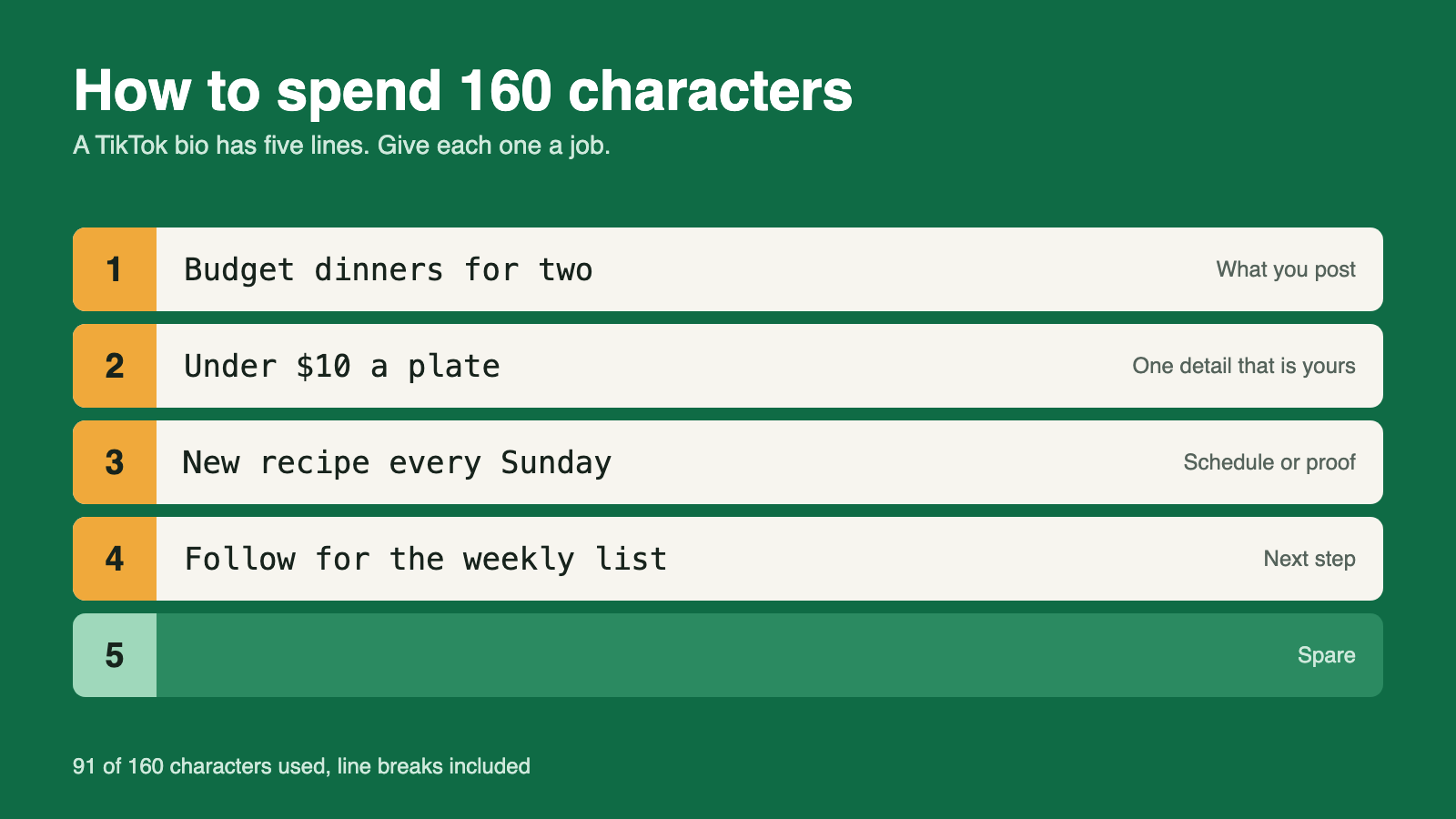
Five lines, one job each. Most bios need four of them.
| Line | Job | Example |
|---|---|---|
| 1 | What you post | Budget dinners for two |
| 2 | One detail that is yours | Under $10 a plate |
| 3 | Schedule or proof | New recipe every Sunday |
| 4 | Next step | Follow for the weekly list |
| 5 | Spare | An emoji, a second contact, or leave it empty |
Three full layouts. A slash marks a line break, and each break is counted as 1.
| Layout | Lines | Characters |
|---|---|---|
| Budget dinners for two / Under $10 a plate / New recipe every Sunday / Follow for the weekly list | 4 | 91 |
| Mobile dog groomer in Phoenix / We come to your driveway / Open Tuesday to Saturday / Book below | 4 | 90 |
| Thriller reviews in 30 seconds / One book a week, zero spoilers / Requests open / DM me your favorite | 4 | 95 |
All three stay under 100, which leaves room for emoji at 2 each.
A short bio still works, and it suits accounts whose videos already explain the topic. Say what you post, add one detail, end with a next step.
| What you post | One detail | Next step | Total |
|---|---|---|---|
| Budget dinners for two. (23) | New recipe every Sunday. (24) | Follow for the list (19) | 68 |
| Phoenix dog groomer. (20) | We come to your driveway. (25) | Book below (10) | 57 |
| Thriller reviews in 30 seconds. (31) | One book a week. (16) | DM me your favorite (19) | 68 |
The numbers in brackets are character counts.
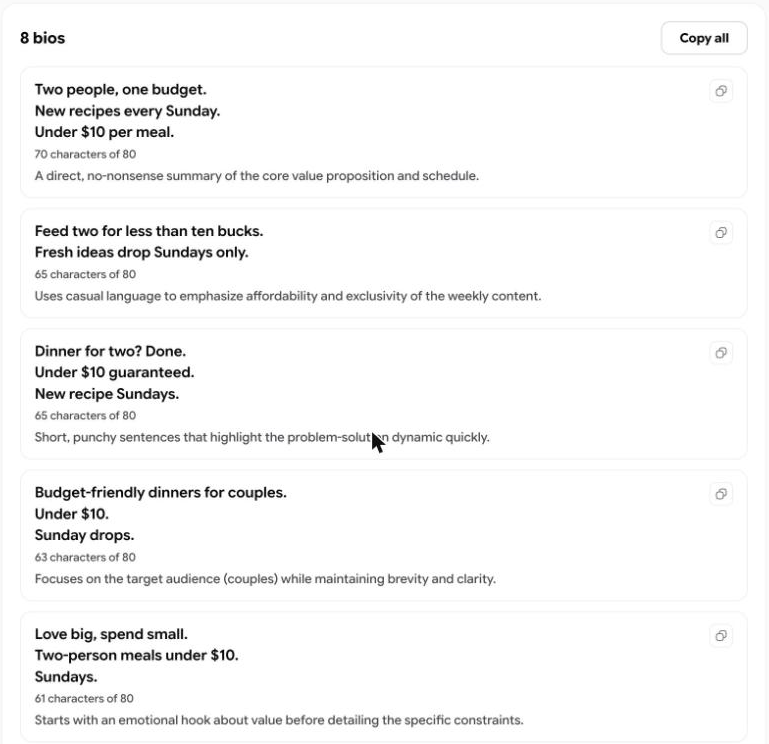
Want a head start? The TikTok Bio Generator takes one sentence about your account and returns eight bios of up to 80 characters, each with a note on its angle. It is free three times a day without an account.
Five fill-in templates. Replace the brackets and count again.
| Template | Characters before you fill it in |
|---|---|
| [Topic] for [audience]. New video every [day] | 45 |
| [City] [job]. [What you sell]. Book below | 41 |
| [Number] years of [skill]. Tips daily. Say hi | 45 |
| [Niche] reviews in [length]. DM me your pick | 44 |
| [Role] at [place]. Posting [topic] after work | 45 |
My bio has gone through many versions. I watch who is liking and clicking, and I change the words to fit the people who are showing up. Four habits have stuck.
Every example below was written for this page. The number in brackets is its character count. The longest is 45, so two or three of them stack inside 160. Swap in your own city, schedule or niche.
Setting up a new account? Pick the handle first. Our TikTok username ideas guide has templates for that.
Food, fitness, books and gaming. The pattern is the topic plus the promise.
Name what you sell, where, and how to buy.
Brands read these. Say what you make and how to reach you.
With no face on screen, the bio carries the whole pitch. Lead with the format.
These lean on tone. Use one when your videos already make the topic obvious.
The link sits in its own field under the bio, so it uses none of your 160 characters. TikTok opens that field to accounts with at least 1,000 followers and to Verified Business Accounts.
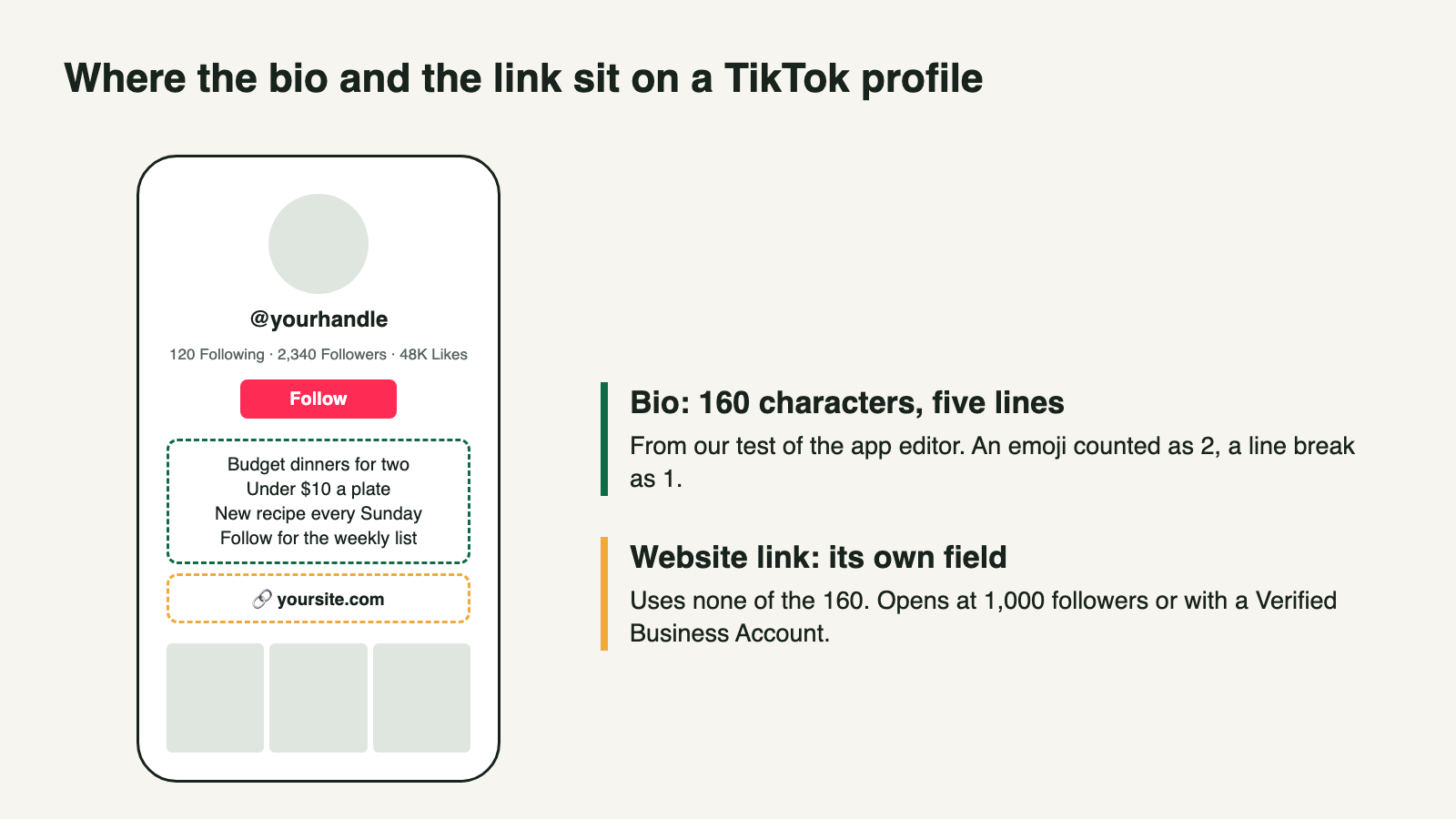
Under 1,000 followers, point people at something they can do inside the app: follow, comment, or send a DM. “DM to order” and “Say hi” both work without a link. Once the field opens, change the last part of your bio to “Book below” or “Tap the link”.
Two causes come straight from TikTok’s Help Center. The link field stays hidden until the account has 1,000 followers or is a Verified Business Account. And the bio cannot be edited from TikTok’s mobile web version, so use the app or the desktop site.
I tested emoji in the TikTok editor: one emoji moved the counter by 2. So “Cozy games 🎮 Say hi” reads as 19 characters and costs 20. Budget two per emoji and use them where they replace a word.
Line breaks help more than decoration does. Three short lines read faster than one long sentence on a phone. Each break cost 1 character in my test, and the editor stopped me at a sixth line.
Styled letters from a font tool can look good in a nickname. In a bio, keep them to one or two words. Some devices show them as empty boxes, and screen readers can stumble on them. The TikTok Font Generator previews each style so you can check before you paste.
A generator gives you eight starting points in a few seconds. Treat them as drafts. Ours writes each bio inside 80 characters, so the output fits every account and leaves you a line or two to add.
A viewer who taps your name sees three things within a second: the bio, the pinned videos, and the grid of covers. The bio tells them what the account is. The first seconds of the pinned video show whether that is true. To see how strong openings are built, paste a video you admire into the hook analyzer and read its first three shots. The TikTok cover size tool keeps the grid readable.
160 characters in the app editor on my account, as of November 2026. TikTok’s Help Center page still says 80. The number under your own bio field is the one that applies to you.
Open your profile, tap Edit profile, tap Bio, type the new one and save. TikTok notes that this is unavailable on its mobile web version.
The Help Center page lists 80. The app editor I tested shows 160, plus a cap of five lines.
At least 1,000, or a Verified Business Account. The link goes in its own field under the bio.
Yes. In my test each emoji counted as 2 and each line break as 1.
My editor showed “Row Limit Exceeded” when I started a sixth line, so plan for five or fewer.
What you post, one detail that is yours, and a next step such as “Follow”, “Say hi” or “DM to order”.
Want to know why a video in your niche works? Paste any TikTok, Reel or Short into Hookova and get a shot-by-shot storyboard in about two minutes. Your first three credits are free.
 Hookova