For a 30-second TikTok or Reel, the entire shooting plan fits on one sheet of paper, and the first two boxes on that sheet belong to the hook. That’s what a storyboard template is for short video: six to twelve boxes, one shot each, with the frame, the camera, the line and the on-screen text written next to it.
This guide gives you a template built for the format you actually post in, and shows you how much to put in each box so the sheet works on set. Most storyboard templates you’ll find online were designed for film students: twenty 16:9 frames, scene numbers, nothing about the first three seconds. They were never put to real use by anyone making short video. Ours was made for exactly that, and like everything else we build around short-form, it’s free: the storyboard template runs in your browser, you pick 6, 9 or 12 shots and a 9:16 or 16:9 frame, type into the boxes or print it blank, and save it as a PDF. Nothing is uploaded.
People open a blank storyboard and stall, because nobody tells them how much to write. Here is how much.
Pick 6 boxes if you talk to camera, 12 if you cut fast. A talking-head video changes shot every few seconds, so 6 to 9 boxes cover 30 seconds. A fast edit like the example below runs a cut every 1.2 seconds and needs 12 or more. If you don’t know yet, start with 6; you can print two.
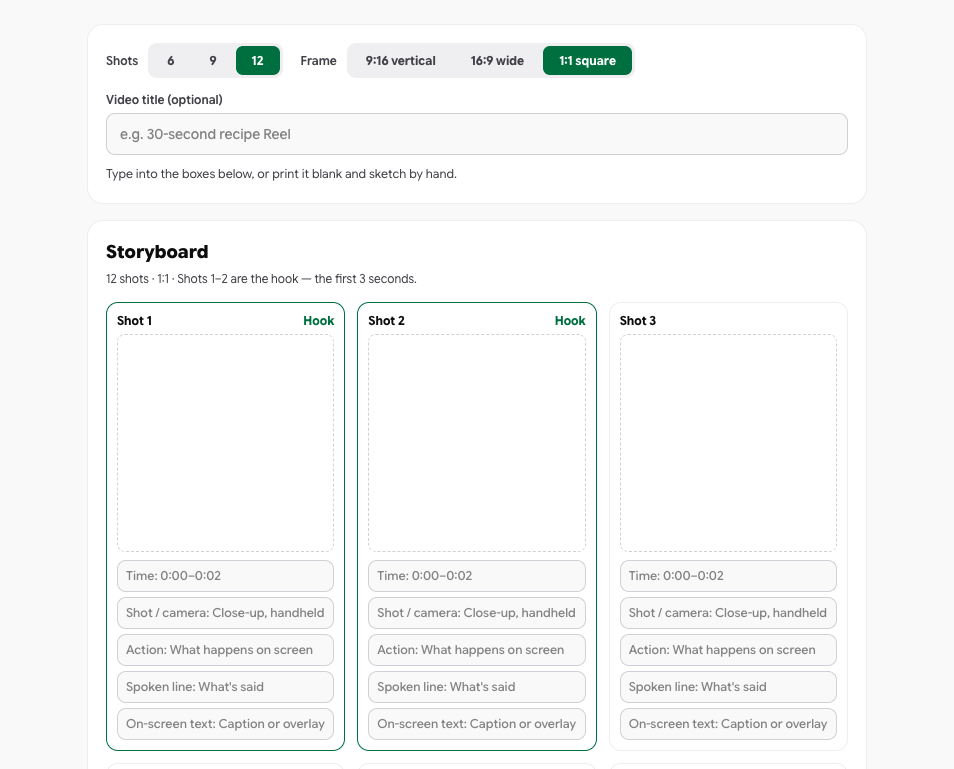
Box 1 and box 2 are the hook. Fill them first. They cover roughly the first three seconds, and they decide whether anyone sees box 3. Write what the viewer sees in each, and then one sentence on why they’d still be watching at second three. If you can’t write that sentence, don’t move on.
Per box, write four things, one line each:
Draw only when composition matters. A stick figure or a rectangle for the product is enough. The one time to actually draw is when the shot depends on where things sit in the frame: how much of it the product fills, where the text will go. If you can say it in a sentence, the sentence is the drawing.
That’s the whole method. A filled 6-box sheet is about 30 lines of writing and takes ten minutes. It’s usable on set as-is, and the template exports a CSV so the same plan opens as a checklist in a spreadsheet.
A film storyboard carries more than you need. Here’s what transfers, and what to drop.
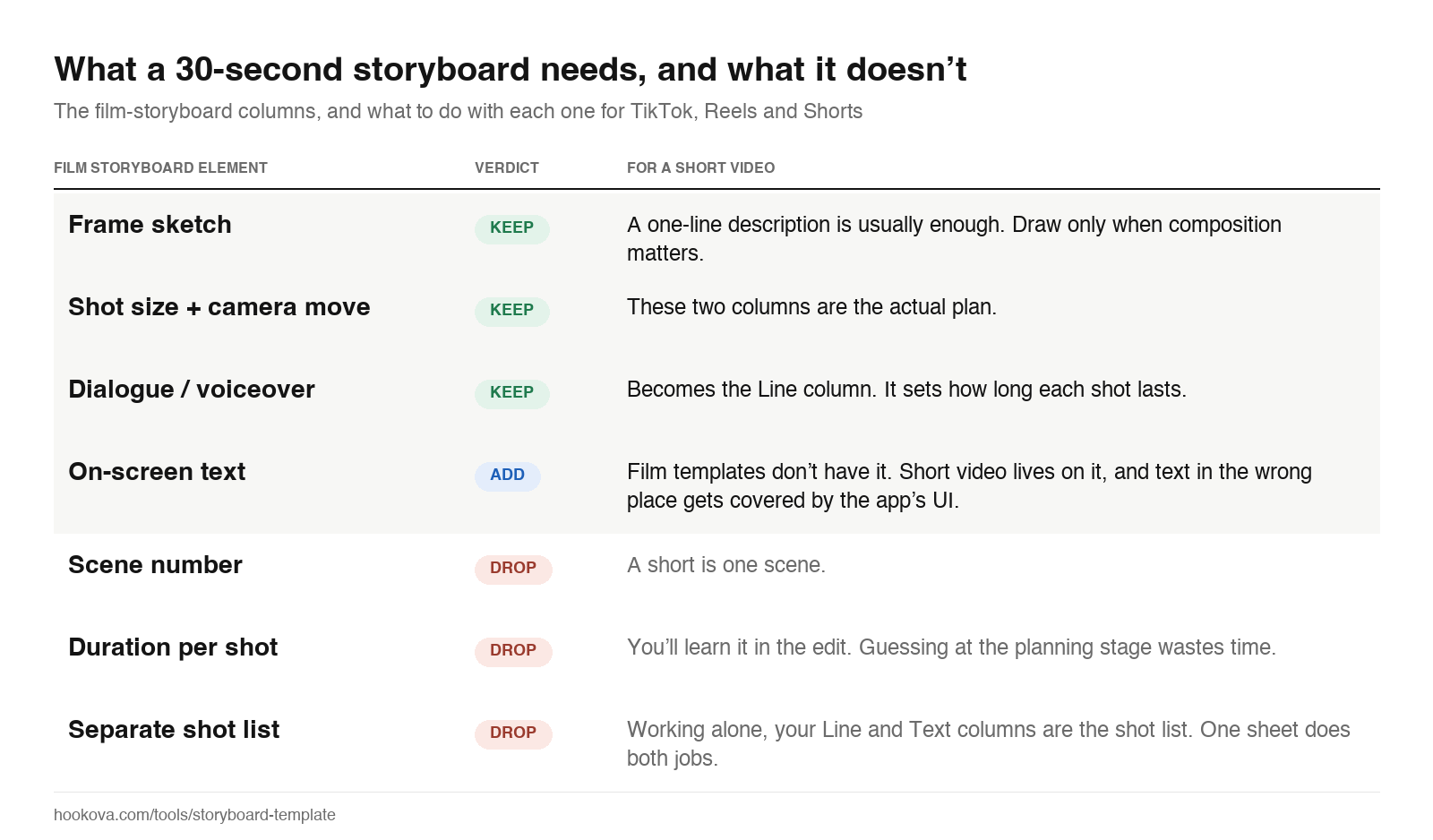
The only thing a film template lacks that a short video must have is a hook box that looks different from the others. On the free template, shots 1 and 2 are labelled Hook for that reason.
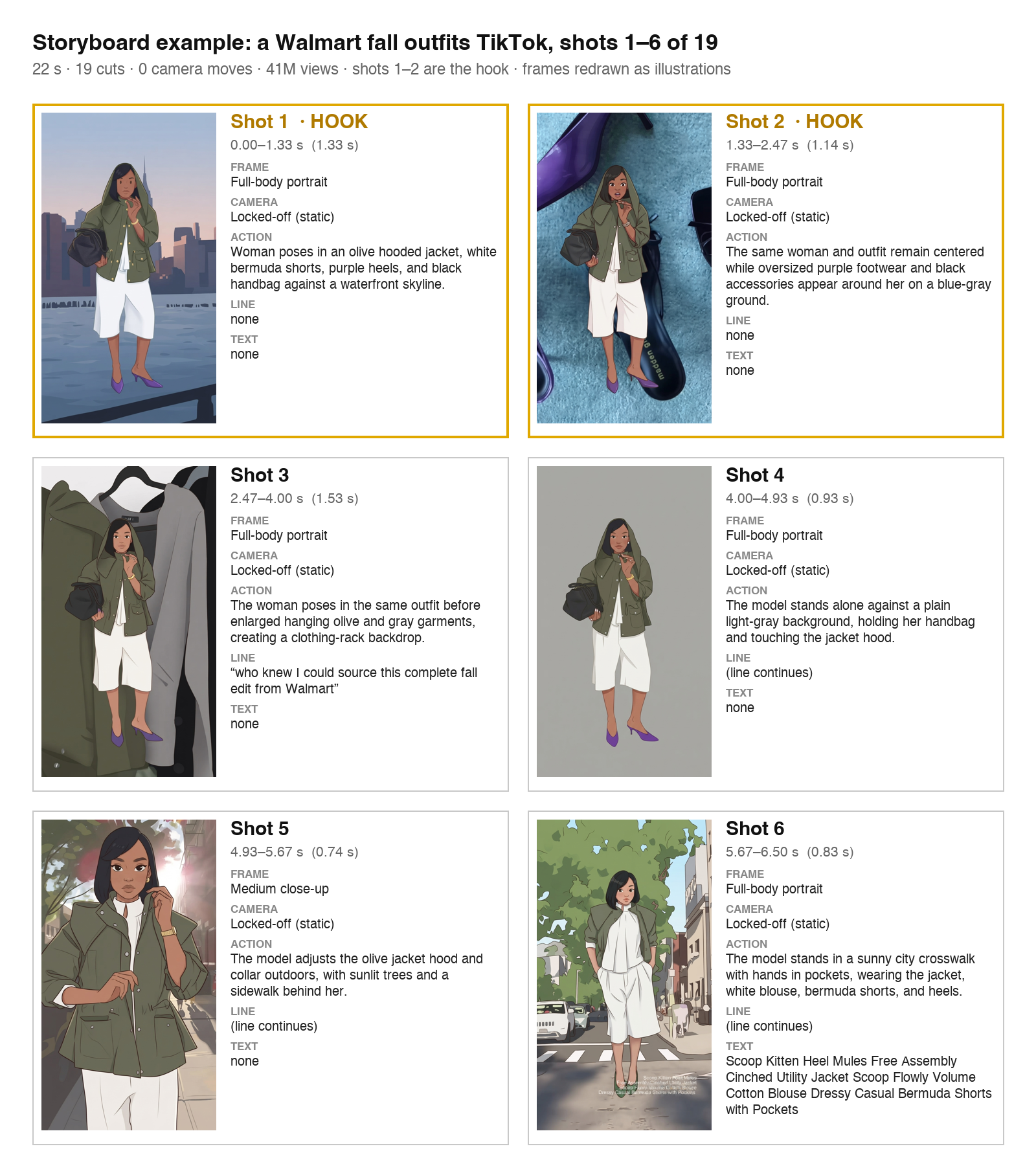
A blank template teaches nothing. A filled one teaches everything, so here is one. The most-viewed TikTok in the US last week was a Walmart fall outfits video from @pierrahh, a 74K-follower account: 22 seconds, 19 cuts, zero camera moves, 41 million views. We ran it through Hookova’s analyzer, which pulls one keyframe per shot. The image above is shots 1 to 6 on a 6-box sheet, and here are the same six shots on a timeline:
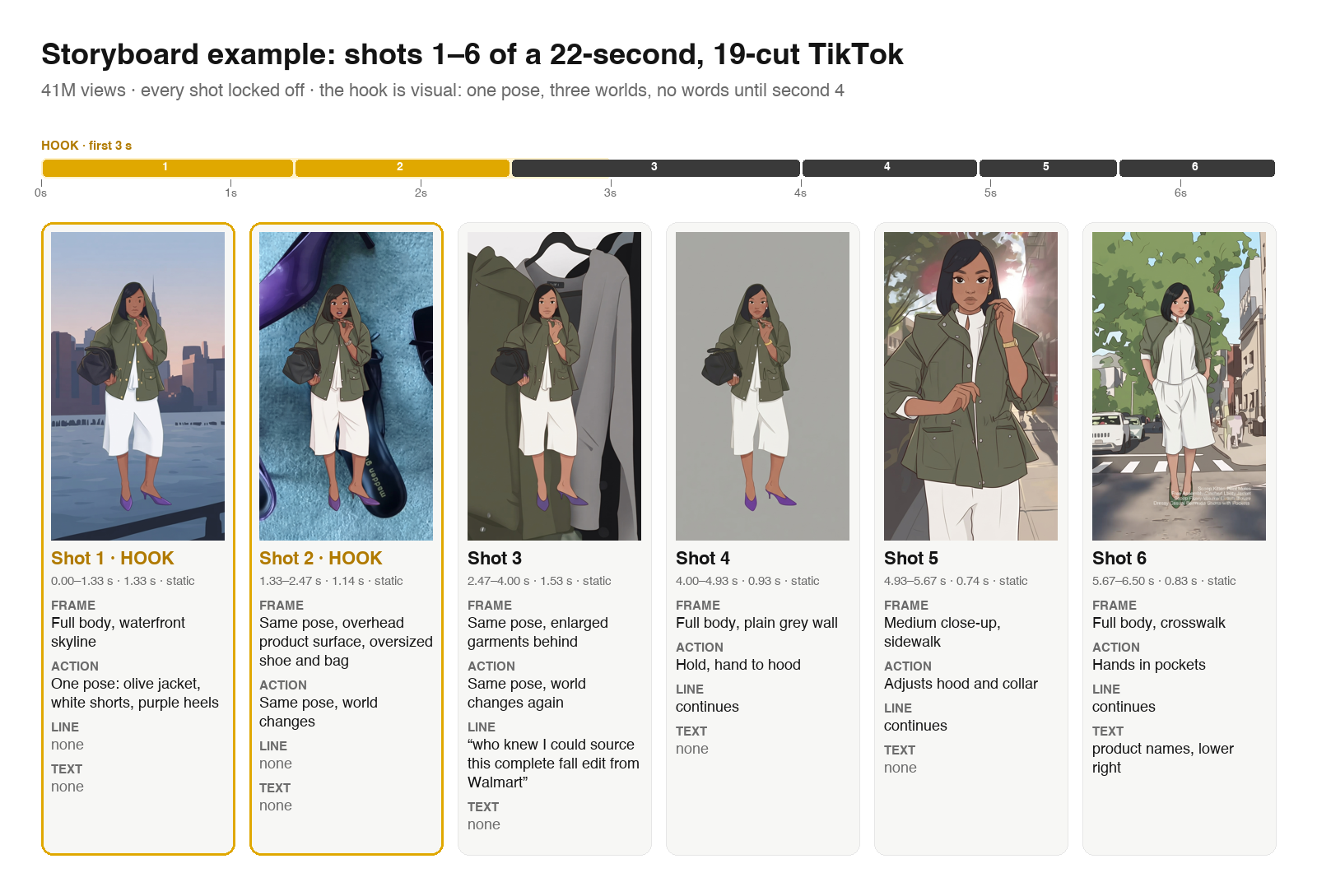
Three things the sheet shows that the video hides at speed:
Borrow the pattern, not the content: one subject held constant while the background changes, hard cuts instead of transitions, the claim arriving after the eye is already caught. The breakdown page has the remaining 13 shots and the transcript.
If the problem is empty boxes rather than drawing, it’s a structure problem. Each of these fills six boxes and maps to a hook type from the hook examples library.
If the opening line isn’t settled, the video script template gives you a timed box for the hook, the setup and three beats; the storyboard fills in behind it.
Most people write the script, then try to picture shots for it, and end up with a 90-second script for a 30-second video. Reverse it.
Sometimes the plan starts from a reference: a video that works, whose structure you want to shoot your own version of. Pull one frame per shot and lay them in the grid. The video frame extractor does that from a TikTok, Reels or Shorts link or an uploaded file: a frame every half second, or exact timestamps, downloaded as stills. Drop them in the Frame column, write the Action next to each, and you have the reference’s storyboard without its footage.
If you’d rather have the labelling done for you, paste the link into the Hookova analyzer. It splits the video into shots, keyframes each one, transcribes it and names the hook technique. That’s where the example sheet above came from.
How many shots should a storyboard have for a TikTok or Reel?
Six to twelve for anything under 30 seconds. Talking-head videos sit at six to nine. Fast edits like the Walmart example run eighteen or more; use the 12-shot grid and print two.
What’s the difference between a shot list and a storyboard?
A shot list is the table; a storyboard is the table with a picture per row. For a solo creator the storyboard’s Line and Text columns are the shot list, so one sheet does both.
Do I have to draw?
No. A one-line description per box works. Draw only when the composition matters.
Can I storyboard a video with no script?
Yes, and it’s often better. Fill the frames first, then decide whether each box needs words. Many of the best-performing shorts have no spoken line in the first three seconds.
Why is the template 9:16?
Because TikTok, Reels and Shorts are. Composing in 16:9 and cropping later puts text where the UI covers it. Switch to 16:9 for regular YouTube, 1:1 for square feed posts.
Paste a TikTok, Reel or Short into the Hookova analyzer and it returns the storyboard for you: every shot, a keyframe for each, the transcript, and the hook technique named. Study it, then open the blank template and make yours.
 Hookova