TikTok transcription turns a TikTok’s spoken audio into text. On Hookova it’s four steps and about a minute: paste the link, the audio runs through Whisper, the words come back as timestamped lines or plain prose, and you download a .txt. Reading the result is free. Downloading it costs one credit for anything under three minutes. Any public TikTok, Reel or Short works, in most languages, up to ten minutes long.
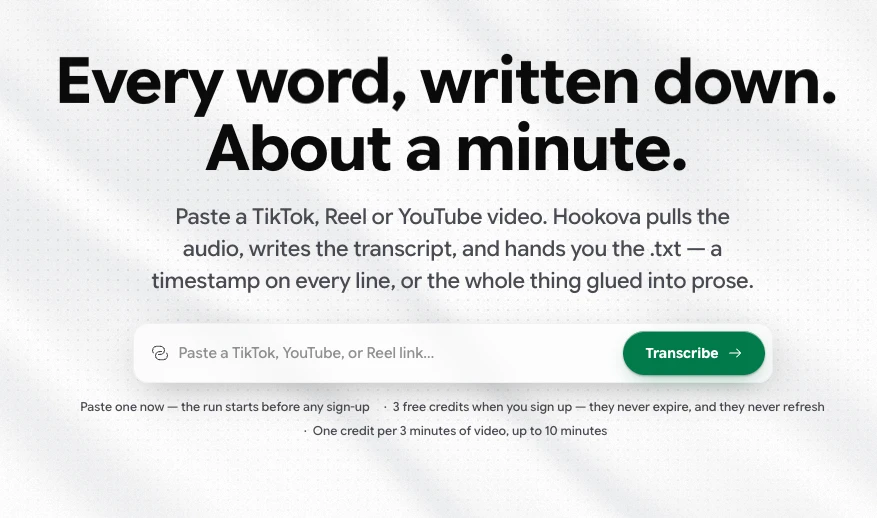
Every tool page ranking for this search stops at step four. The interesting part is what you do with the text. I use transcripts for four things: briefing clients, reading faster than I can watch, timing my own scripts, and feeding an AI. Below, the process on a real clip (a CBC news video that hit 3.1 million views in a week), then the four uses, each with the free tool that takes over where the transcript ends.
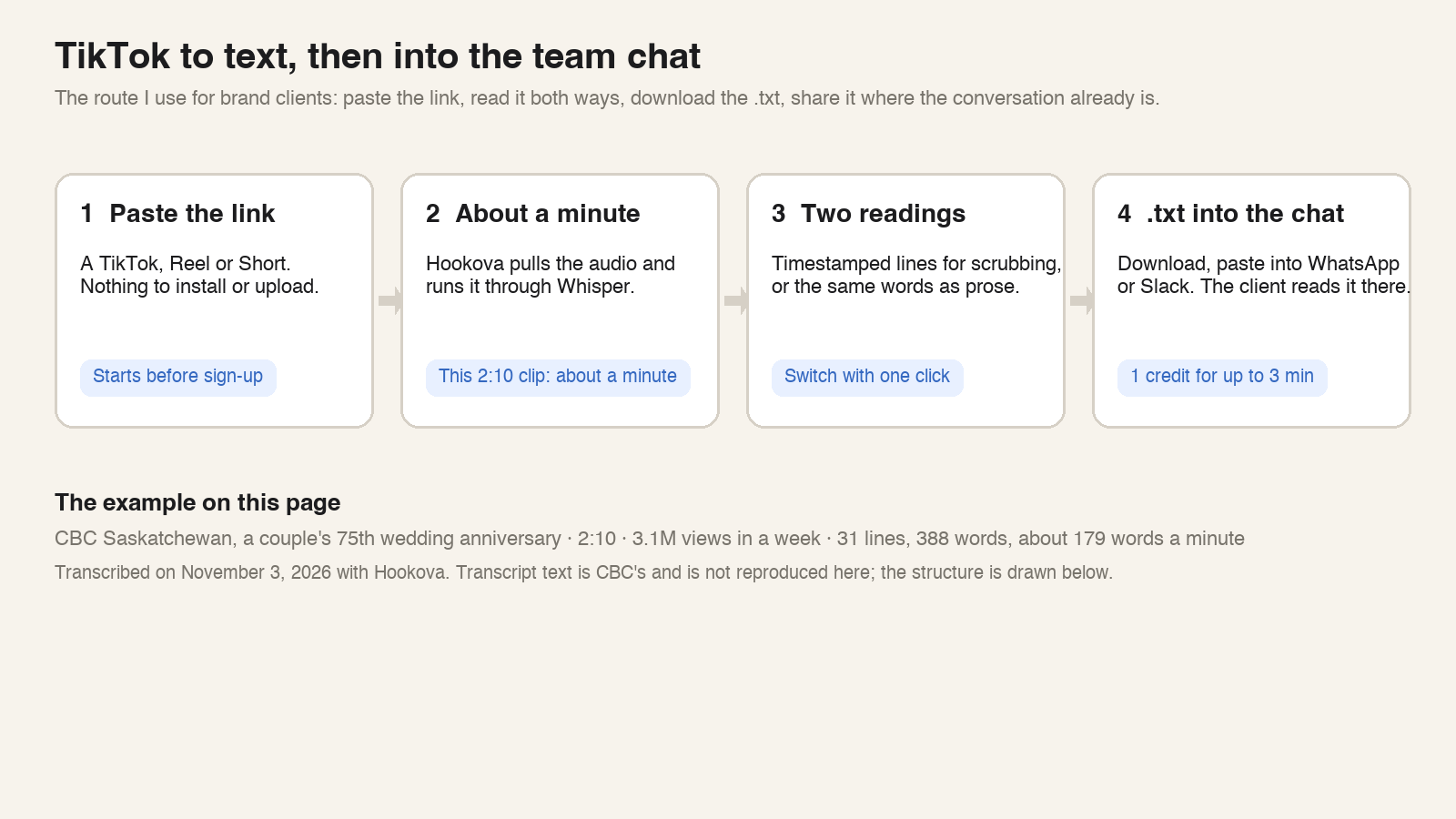
The clip comes from CBC Saskatchewan. Larry and Helen Fry, married 75 years this November, talk about farm life north of Regina before electricity, and the electric car they bought when Larry turned 90. It runs 2:10, went up on October 26, and a week later sat at 3.1 million views and 114,000 shares, from an account with 208,000 followers.
I pasted the link and had the transcript in about a minute: 31 timed lines, 388 words, roughly 179 words a minute. As prose, it reads like a short news feature. With timestamps, it’s a blueprint of how the clip was built.
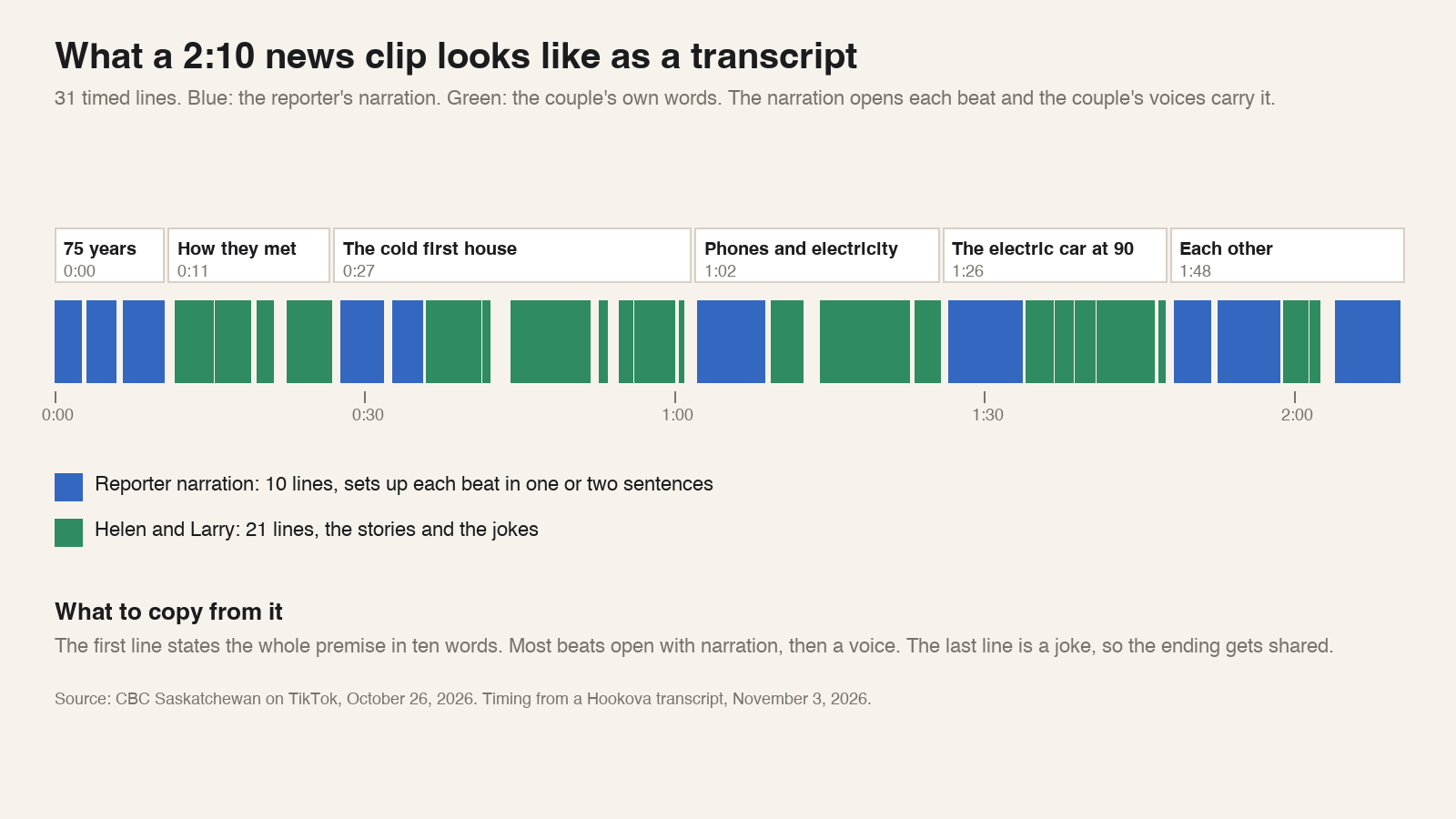
Ten lines belong to the reporter, 21 to the couple. The reporter’s lines are short and open each beat (how they met, the freezing first house, phones and electricity, the car, each other), and then the couple carry it in their own voices. The first line lays out the whole premise in ten words. The last line is Larry’s joke about when a husband should keep his mouth shut, and clips that end on a joke get shared; 114,000 shares say so. One line of Larry’s sums up the middle of the piece: “Electricity made the biggest change in our life.”
You can’t see any of that while the video plays. You can see all of it in thirty seconds with the timestamped version, which is why that’s the one to download for any clip you want to learn from. The prose version is for sharing and for reading.
Some of the most useful videos in my feed are the ones I least want to sit through: a twelve-minute breakdown of a platform change, a dense tutorial, a founder talking for three minutes with the point buried in the last twenty seconds. Reading beats watching for that kind of thing, and reading lets you skip. So I transcribe the whole video and read the prose. When it’s worth keeping, I keep the entire text, in the transcriptions library and in my own notes. A paragraph of someone’s actual words is a better reference than my memory of their video.
The use I come back to most is talking to people. After years of working with brand clients, I’ve learned that what they want from me is reference material they can act on: a document, a clear example of what I’m proposing. A bare TikTok link asks them to open the app, watch, and come back, and the point tends to get lost somewhere in between.
So I transcribe the reference, download the prose version, and paste it into WhatsApp or whatever the client uses. The script sits right there in the thread, under my note on why it matters, and they read it the way they read everything else that day. The conversation stays in one window, and the decision gets made on the actual words. When the person I’m writing to signs off on the budget, this stops being a convenience and becomes how the work gets approved at all.
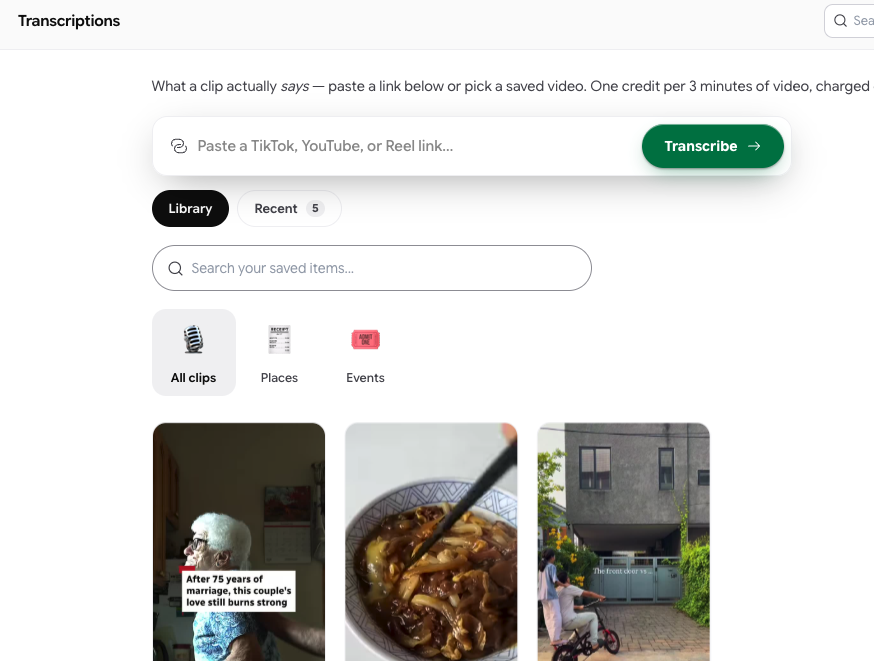
Two habits make it work. Transcribe before the meeting, so the text is ready when the question comes up. And keep transcripts somewhere you can find them: everything you transcribe on Hookova stays in your transcriptions library, filed under the category the classifier picks, so the reference you sent a client in March is still there in September.
For a creator, the transcript is a yardstick. The CBC clip runs at about 179 words a minute, with the reporter noticeably quicker than the couple. Drop your own script into the script timer and you get your words per minute and the finished length before you record a word. A script that times out slower than the reference usually has sentences to cut. One that times out faster needs its pauses written in.
The first line deserves its own check. In the CBC clip it’s a ten-word statement of the premise. Run your opening line through the hook checker, then let the video script template lay out the rest in the same narration-then-voice shape, one beat per block. To see where each beat lands on screen, the storyboard template gives you a 9:16 frame per shot.
The fourth use is the one that changed how much I can make. A transcript is text, and text is what an AI is good at. Paste the CBC transcript into Claude or ChatGPT with a line about what my channel covers, and back comes the same beat structure on my subject: narration, voice, narration, voice, a joke to close. That’s a draft I can shoot, built on a reference that already worked for three million people, and it took less time than watching the clip twice.
The next step cuts out the pasting. Hookova has an MCP server, which lets the assistant reach into your library on its own: the clips you saved, their transcripts, the shot-by-shot analyses, the boards you pinned them to. “Take the three clips I saved this week, pull the transcripts, and write me a version for my product” is one message. The material it works from is yours, picked by you, with the structure of videos that already performed. Every chain on this page (read, brief, time, generate) runs inside one account, and the transcript is what they all share.
This is my honest read on where it’s all going, and why I care about Hookova as a project. A creator’s problem has two halves, quality and volume, and most tools fix one at the expense of the other. A library of references with their words and their shots, open to an assistant that drafts from it, is the shortest route I know from a good video someone else made to a good video you made. I haven’t seen another product built on that chain.
Editors want the timestamped version. Each line opens with its start time, so it drops into a captions track with a find-and-replace. The download is a .txt; a subtitle file from your editor goes the other direction through the free SRT to TXT converter, which strips the numbers and timecodes in your browser without uploading anything. Need a thumbnail or cover that matches a specific line? The video frame extractor pulls the frame at that timestamp.
An Instagram transcript works the same way: paste the Reel’s link and the words are back in about a minute. Reels support is in beta and covers public Reels only; a private or deleted Reel fails with a message and costs nothing. There’s a longer write-up in Instagram Reels transcript. YouTube Shorts and regular YouTube videos up to ten minutes take the same paste, at one credit per started three minutes.
The transcript tells you what was said. The same link and the same credit also tell you what was shown. I ran the CBC clip through the hook analyzer, and it came back as a storyboard of 45 rows across 26 cuts: for each one the shot size, the camera, the on-screen text, what the shot is doing, and how to reproduce it.
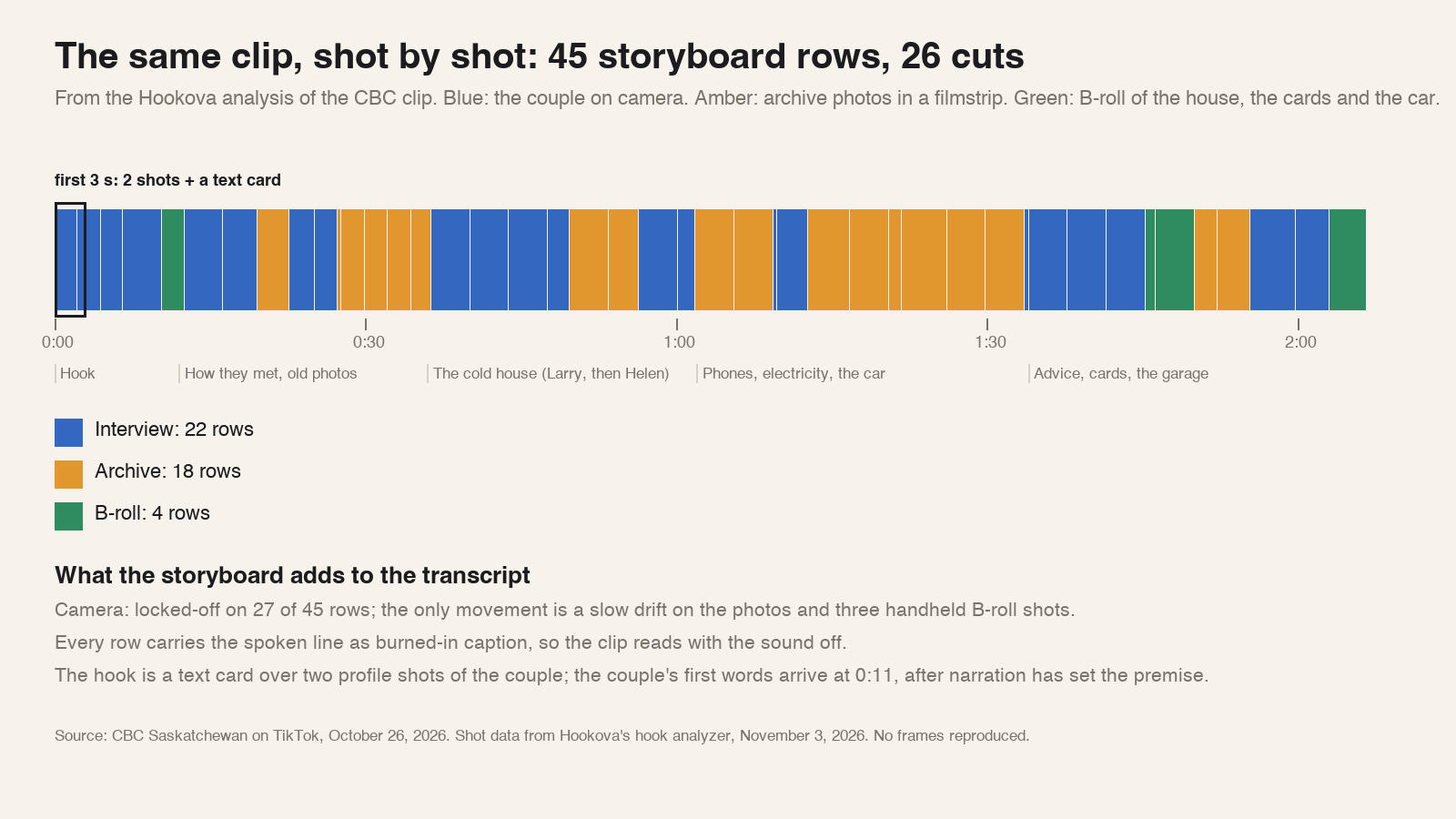
Three things the storyboard adds that the transcript can’t. The camera is locked off on 27 of the 45 rows; the only movement is a slow drift across the old photographs and three handheld shots. Every row carries the spoken line as a burned-in caption, so the clip works with the sound off. And the hook is a text card over two profile shots of the couple, with the premise set by narration before Helen says a word at 0:11. The analyzer’s note on the first row says it plainly: a large emotional headline and an elderly couple make you want to know how the love lasted. There are more examples of that kind of read in the hook breakdowns.
How do I convert a TikTok to text?
Paste the TikTok link into Hookova’s transcriber. The audio runs through Whisper and the transcript shows up in about a minute, with a timestamp on every line or as plain prose you can drop into a document. The 2:10 CBC clip on this page came back as 31 timed lines.
Can I transcribe a TikTok video for free?
Reading a transcript is free, and the run starts before you sign up, three runs a day. A free account comes with three one-time credits, and downloading a transcript spends one credit for a clip under three minutes. Pro is $20 a month for 50 credits, Ultra is $49 for 100.
How long can the video be, and what does it cost?
Up to ten minutes. One credit covers each started three minutes: 0 to 3 minutes is 1 credit, 3 to 6 is 2, 6 to 9 is 3, 9 to 10 is 4. A failed run is never charged.
Can I get the script from a TikTok video?
Yes. The transcript is the spoken script, word for word. The prose view is the script in one block; the timestamped view shows where each line lands, which is how the CBC clip’s ten lines of narration and 21 lines of interview were counted.
Does it work in other languages?
Whisper handles most spoken languages. English and Chinese clips are the everyday case, and the .txt matches what’s on screen, in whatever language the clip speaks.
Can an AI use my transcripts directly?
Yes. Hookova’s MCP server exposes your saves, transcripts and analyses as tools, so Claude, ChatGPT, Cursor or any MCP client can read a transcript from your library and draft from it, no copying and pasting.
The words of a video are the fastest thing about it to share, and the first thing a team can agree on. Transcribe a TikTok and paste it where the conversation already is.
 Hookova