The recommended YouTube thumbnail size in 2026 is 3840 × 2160 pixels at a 16:9 ratio, saved as JPG or PNG. The minimum width is 640 pixels. Uploads from a computer can weigh up to 50 MB, and uploads from the phone app are capped at 2 MB. Shorts thumbnails are 2160 × 3840 at 9:16. A 1280 × 720 file still uploads fine, and it is the floor for A/B tests.
Have a file ready? Drop it into the free YouTube thumbnail size checker. It reads the pixels, ratio, format and weight in your browser, and nothing gets uploaded.
These numbers come from YouTube Help, checked on November 17, 2026.
| Video | Shorts | Podcast playlist | |
|---|---|---|---|
| Recommended dimensions | 3840 × 2160 px | 2160 × 3840 px | Square |
| Aspect ratio | 16:9 | 9:16 | 1:1 |
| Minimum | 640 px wide | 640 px tall | — |
| Formats | JPG or PNG | JPG or PNG | JPG or PNG |
| Max file size, computer | 50 MB | 50 MB | 50 MB |
| Max file size, phone app | 2 MB | Computer only | 10 MB |
Two account rules sit on top of the specs. Custom thumbnails need a verified account, and YouTube sets a daily limit on how many you can upload.
For years the official numbers were 1280 × 720 pixels and 2 MB, and many of the guides that rank today still list them. They were correct when they were written. YouTube raised the desktop limit to 50 MB and moved its recommendation up to 4K, and creators started noticing in spring 2026. Under one creator’s video about the update, a commenter celebrated: “No more having to limit the file size to 1999KB when I make my thumbnails!”
Three things are different now:
The 16:9 ratio and the 640-pixel minimum width stayed the same.
People ask whether 1920 × 1080 is a good thumbnail size, and whether 1280 × 720 still counts. Both are 16:9 and both clear the minimum, so both upload. The best YouTube thumbnail size for you depends on where you upload from.
| Your situation | Export this | Why |
|---|---|---|
| Uploading from a computer | 3840 × 2160, JPG or PNG | Matches YouTube’s recommendation and holds up on TV screens |
| Uploading from the phone app | 1920 × 1080 or 1280 × 720, JPG under 2 MB | The app caps video thumbnails at 2 MB |
| Running a thumbnail A/B test | 1280 × 720 or larger for every version | One smaller file drops all versions to 854 × 480 |
| Your design tool tops out at 1080p | 1920 × 1080 | Sharp on phones and laptops, and well above the minimum |
The A/B rule comes from YouTube’s Test & Compare help page. The feature runs on desktop for long videos, with up to three thumbnails per test.
One caution on 4K. Stretching a finished 1280 × 720 image up to 3840 × 2160 adds pixels and no detail. Change the canvas size in your design file and export again from there.
Here is a test thumbnail in the Hookova checker: a 3840 × 2160 JPG that weighs 2.6 MB.
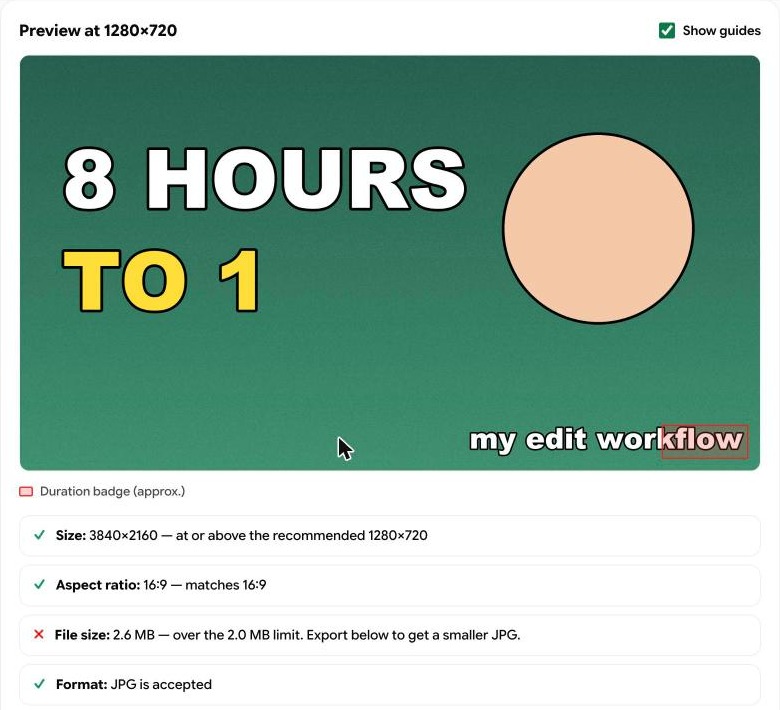
Size, aspect ratio and format pass. The file-size line flags the image because that line checks the 2 MB phone limit. From a computer this file uploads as it is. For a phone upload, the tool’s Download 1280×720 JPG button works as a YouTube thumbnail resizer: it scales the image down and lowers the JPG quality until the file fits under 2 MB.
YouTube prints the video length in the bottom-right corner of every thumbnail. Anything you put in that corner sits under the badge. In the test image above, the words “my edit workflow” were placed there on purpose, and the red box in the checker shows the badge landing on the last word.
Keep faces, numbers and text out of the bottom-right corner. The rest of the frame is yours.
Under size tutorials, the same complaint keeps showing up: the size is right, and the thumbnail still looks soft after upload. These are the usual causes.
A related complaint is a thumbnail that gets cut off. That happens when the canvas is close to 16:9 and slightly off, or when a vertical video carries a 16:9 thumbnail. The Shorts section below covers the second case.
The YouTube Shorts thumbnail size is 2160 × 3840 pixels at 9:16, with a minimum height of 640 pixels. Custom Shorts thumbnails can only be uploaded in YouTube Studio on a computer.
Vertical videos have one extra rule. When a vertical video carries a 16:9 custom thumbnail, YouTube replaces it with an auto-generated 4:5 thumbnail on the home, explore and subscription pages. Your custom image still shows in the watch feed, in watch history and outside of mobile. For vertical uploads, design at 9:16 and keep the subject in the middle of the frame.
For the video itself, the YouTube Shorts size tool checks the file, and our social video sizes guide lists the specs for TikTok, Reels and Shorts side by side.
A thumbnail that passes the size check can still fail in the feed. Viewers see it small, next to other videos, and they decide fast. The free YouTube thumbnail tester gives you a thumbnail preview in each layout: the home grid beside two competing videos, a search result, the suggested sidebar and the phone feed. Type your title, channel name and video length, and switch to dark theme to see both.
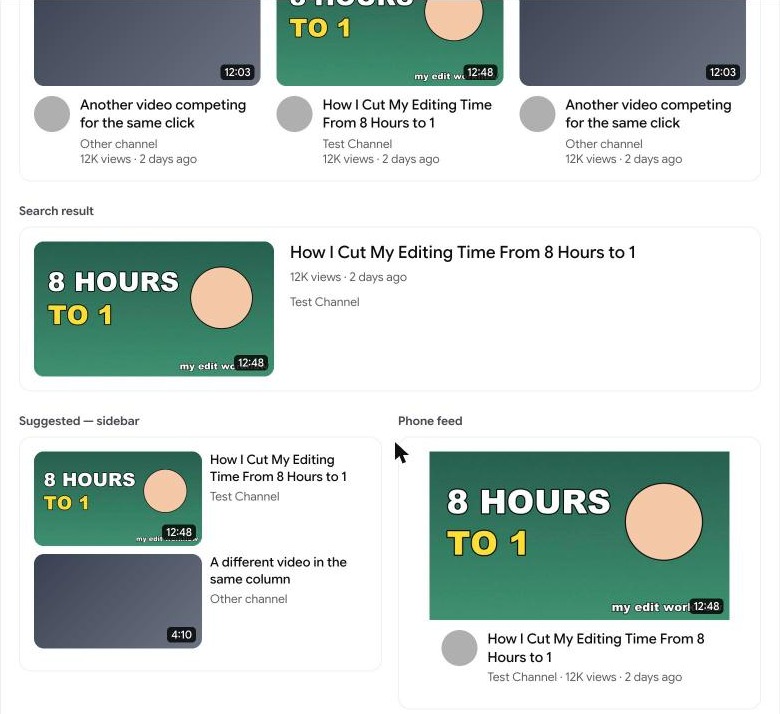
The previews are close approximations of YouTube’s layouts, and they are enough to catch the common problems. In this one, the duration badge covers the corner text in all four placements.
At the bottom of the tool is the glance test. It shows the thumbnail at 120 pixels wide, at 80 pixels, and blurred.
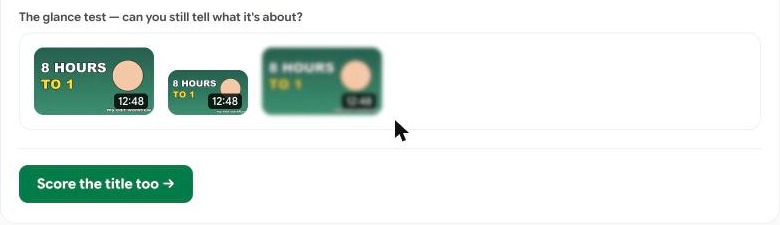
“8 HOURS TO 1” survives all three. The corner text is gone by the second one. Run your own thumbnail through it before you publish, then paste the title into the YouTube title checker to see where it gets cut off on mobile.
On a phone, the same option lives in the YouTube Studio app under the video’s edit screen, with the 2 MB cap.
A thumbnail makes a promise, and the first few seconds of the video have to keep it. Good YouTube thumbnail ideas usually come out of the video’s hook: the one frame, number or question that the opening is built around. Our test thumbnail says “8 HOURS TO 1”, so the video should open on that claim.
Two Hookova tools help here.
The video frame extractor pulls a clean still out of your footage, which is often a better starting point for a thumbnail than a posed photo.
The hook analyzer shows you how other creators’ openings are built. Paste a Shorts, TikTok or Reels link and in about two minutes you get a shot-by-shot storyboard: each shot’s length, framing, camera move, on-screen text and the hook technique it uses. Study three or four videos in your niche that did well, and you will see which opening frame carries the promise. That frame is your thumbnail idea. Our Zack D. Films Shorts breakdown is an example of what the report looks like, and the TikTok editing workflow shows how to shoot and cut from one.
The free plan includes three analyses. Sign in to Hookova and run your first one on a video you wish you had made.
YouTube recommends 3840 × 2160 pixels at a 16:9 ratio, in JPG or PNG, with a minimum width of 640 pixels. Shorts thumbnails are 2160 × 3840 at 9:16.
1280 × 720 was the recommended size for years and it still uploads. It is also the smallest size that keeps an A/B test at full quality. The current recommendation is 3840 × 2160, which looks sharper on TVs and large monitors.
50 MB when you upload from a computer, and 2 MB for video thumbnails uploaded from the phone app. Podcast thumbnails can be up to 10 MB on mobile.
Yes. Open the video in YouTube Studio, upload a new file under Thumbnail and save. The video keeps its URL, views and comments.
Export at 3840 × 2160, keep the bottom-right corner clear, and run the file through the thumbnail size checker and the thumbnail tester. Then make sure the opening of the video delivers what the thumbnail says. The Hookova hook analyzer breaks down any short video’s opening shot by shot, so you can see how the best ones do it. Sign in to try it free.
 Hookova